Robot Operator Stations: What They Are and What to Look for on a Used Robot
A practical guide to robot operator stations covering what they include, types, how FANUC, ABB, KUKA, and Yaskawa design them, and what to inspect on a used robot's operator station.
Tyche Robotic
6/17/20264 min read
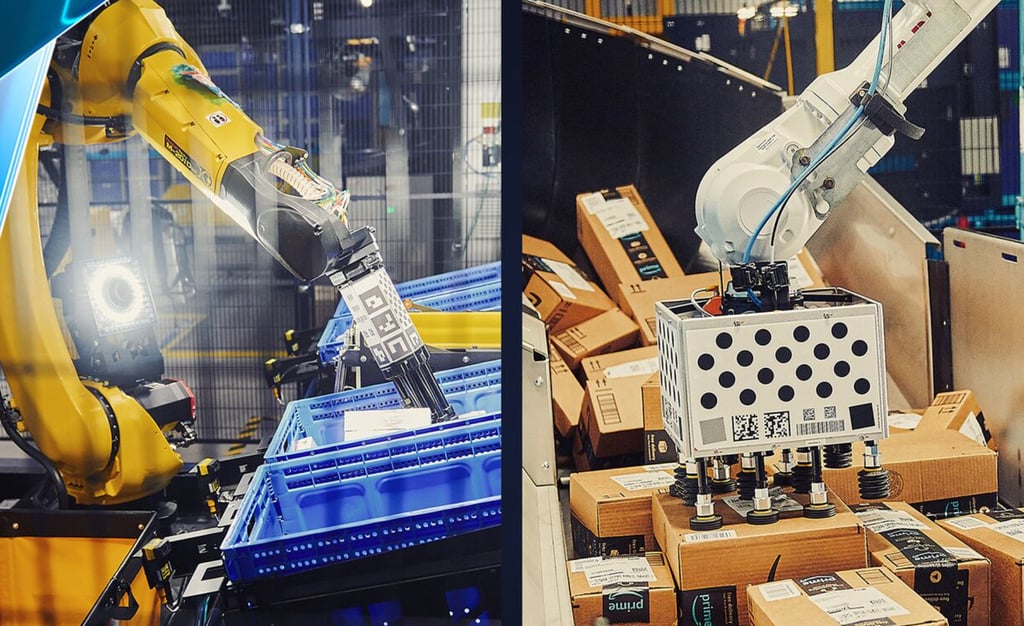
A robot operator station is the place where a person and a robot meet. It is the console, the screen, the teach pendant, the control panel, and the safety interface all brought together into a single workspace. Without it, the robot can still run, but no one can program it, monitor it, or stop it gracefully when something goes wrong. The operator station is not an accessory. It is the cockpit of the automation cell, and its design determines how quickly an operator can respond to a fault, how easily a new programmer can learn the system, and how safely the people working around the robot can do their jobs.
What a Robot Operator Station Actually Includes
An operator station is more than a teach pendant hanging on a hook. It is the collection of devices that let a person interact with the robot controller. The teach pendant is the handheld piece, used for jogging the arm, writing programs, and reading fault codes. The controller cabinet sits nearby, housing the processor, the servo drives, and the I/O modules that run the cell. An external display, usually a large monitor mounted above the station, shows the robot's program status, production counts, and alarm history. The operator panel includes the start and stop buttons, the emergency stop, the mode selector switch, and the indicator lights that tell anyone walking past whether the cell is running, stopped, or faulted. These pieces work together as a system. A well-designed station puts the display at eye level, the teach pendant within reach, and the emergency stop where it can be hit without thinking. A poorly designed one buries the controller in a corner and leaves the operator reaching over conveyors to read a screen.
Types of Operator Stations and Where They Fit
Operator stations come in a few configurations, and the right one depends on the cell layout and how often a person needs to interact with the robot. A fixed station is the most common. It is built into the cell structure, with the controller cabinet bolted to the floor or the fencing, the display mounted on a bracket, and the teach pendant stored in a holster on the outside of the cell. This is the standard for production lines where the robot runs the same program for weeks. A mobile station puts the controller and the operator interface on a rolling cart. It is used in job shops and maintenance bays where one operator supports multiple robots and needs to move the station from cell to cell. A fully remote station is becoming more common as robot controllers add network capability. The operator accesses the robot through a tablet, a laptop, or a web browser from a control room or an office. The robot still has a physical controller and a pendant for emergency use, but the day-to-day monitoring and programming happens remotely.
How the Big Four Approach Operator Stations
The four major robot brands each build their operator experience around their controller philosophy. FANUC's R-30iB controller integrates the teach pendant, the iPendant, with a color touchscreen and an external monitor output. The operator station typically pairs the controller cabinet with a large display and a panel of hardwired start, stop, and e-stop buttons. iRVision images can be displayed on both the pendant and the external monitor. ABB's IRC5 and OmniCore controllers work with the FlexPendant teach pendant and support RobotStudio for offline programming and remote monitoring. The operator can run the entire cell from a laptop, viewing cycle times, alarm logs, and production data without standing at the physical station. The external operator panel includes the standard safety and control buttons. KUKA's KRC4 and KRC5 controllers run on a Windows-based open architecture. The smartPAD teach pendant is a Windows terminal with a large touchscreen. External monitors, keyboards, and mice can be connected directly to the controller, which makes the operator station feel closer to a PC workstation than a traditional industrial console. Yaskawa's YRC1000 controller uses a compact, lightweight teach pendant. The operator station is typically a clean, minimal setup. The controller cabinet, the pendant, and an external control panel with start, stop, and e-stop buttons. Yaskawa's strength is multi-robot coordination, and the operator station reflects that with the ability to monitor and control up to eight robots from a single pendant.
What to Check on a Used Robot's Operator Station
When buying a used robot, the operator station comes with the machine, and its condition is part of what you are paying for. The teach pendant is the most used part of the station. Check the screen for burn-in and dead pixels. Cycle the membrane keys and feel for any that stick or fail to register. Test the enabling switch at all three positions. Test the emergency stop and confirm it shuts down the cell and requires a manual reset. The controller cabinet is the next stop. Open the door and look for dust accumulation on the cooling fans and the heat sinks. A layer of fine dust, especially metallic dust from a grinding or welding environment, is conductive and causes intermittent faults. Check that the fans spin freely and the filters are not clogged. Look for corrosion on the connectors and the circuit boards. The external operator panel needs a functional test. Press the start and stop buttons and confirm they trigger the correct response. Check the indicator lights. A burned-out light is a small fix, but a panel full of dead lights suggests the station was not maintained. Test the emergency stop on the panel even if you already tested the one on the pendant. They are separate circuits and need to work independently. The communication interfaces are easy to overlook. The Ethernet port, the USB ports, and any fieldbus connectors on the controller should be checked for physical damage. A bent pin in an Ethernet jack can prevent remote access to the robot. The operator station on a used robot is not a separate purchase, and it is not a disposable item. It is the interface that every operator, programmer, and maintenance tech will use every day. If the teach pendant screen is burned in, the e-stop is sticky, and the fans are grinding, the robot is not ready to run. It needs work before it earns its keep.
This article was prepared by Tyche Robotic, a supplier of refurbished six-axis industrial robots serving integrators and resellers in Latin America, Southeast Asia, and Europe.
Contact Us
As a professional supplier of used industrial robots, Jiangmen Tyche Robotic Co., Ltd. is committed to providing customers with integrated solutions—from hardware selection and configuration to software programming, debugging, and after‑sales maintenance.
© 2025. All rights reserved.

Mr. Victor Ismael